
Login
Support Sailonline
If you haven't already - join the SAILONLINE YACHT CLUB!
Please also consider making a donation - all amounts are greatly appreciated!
Board
»
Technical Support
»
Optimum Angles
Please login to post a reply.
|
Posted by Bimmer  |
|
|
Just logged in to see if there was any news about this problem, and boy, I'm happy to see that A2 is trying to get to the buttom of this.
Thanks for that, A2 
Waiting in suspense for the outcome. |
|
|
Posted by A2  |
|
|
# 2032 [Stream Error]
This error indicates that the SWZ or SWF file is not being found. The frequently occurs if the client is not able to download the signed framework RSL (Runtime Shared Library) from the Adobe web site, and you have not deployed a local signed framework RSL. If the client has limited or not internet connectivity, be sure to deploy the local framework RSL to a location that is accessible to the client. For more information, see Using the framework RSLs. It can also occur if Flash Player tries to load a custom RSL that is not available. For example, if you specified only “mylib.swf” as the value of the rsl-url parameter to the runtime-shared-library-path option, but the SWF file is actually in a sub-directory such as /rsls, then you must either recompile your application and update the value of the rsl-url parameter to “rsls/mylib.swf”, or move mylib.swf to the same directory as the application’s SWF file. --------------------------- # 2046 This error indicates that the loaded RSL was not signed properly. In the case of framework RSLs, the framework’s SWZ file that the application attempted to load at run time was not a properly signed SWZ file. You must ensure that you deploy an Adobe-signed RSL, or be sure to use the signed framework RSLs that are deployed on the Adobe web site. --------------------------- # 2048 The cause of this error is that you do not have a crossdomain.xml file on the server that is returning the RSL. You should add a file to that server. For more information, see Using cross-domain policy files. If you are loading signed framework RSLs from the Adobe web site, you should not get this error. If you put the crossdomain.xml file at the server’s root, you do not have to recompile your application. This is because the application will look for that file at the server’s root by default, so there is no need to explicitly define its location. If you cannot store a crossdomain.xml file at the remote server’s root, but can put it in another location on that server, you must specify the file’s location when you compile the application. On the command line, you do this by setting the value of the policy-file-url argument of the runtime-shared-library-path option. In the following example, the RSL SWF file is located in the /rsls directory on www.domain.com. The crossdomain.xml file is located in the same directory, which is not the server’s root, so it must therefore be explicitly specified: mxmlc -runtime-shared-library-path= ../lib/mylib.swc, http://www.mydomain.com/rsls/myrsl.swf, http://www.mydomain.com/rsls/crossdomain.xml Main.mxml --------------------------- Requested Resource Not Found You might find this error in your web server logs. If you deploy the RSL SWF file to a location other than that specified when you compiled the application, then you will get an error similar to this when the application tries to run. The solution is to either recompile your application and correct the deployment location of the RSL SWF file or to move the RSL SWF file to the location that the application expects. None so blind |
|
|
Posted by kroppyer  |
|
|
Does the same thing happen when you load a race on http://beta.sailonline.org/? (other things might not work properly there, but the client should load)
--- Last Edited by kroppyer at 2015-07-10 11:06:21 --- |
|
|
Posted by A2 |
|
|
Yes it returns
[RSL 1 of 3] error #2046 None so blind |
|
|
Posted by A2 |
|
|
I punched up the Classic Client & it does load correctly. I noticed that the Framework XXX.swz file loads directly from Sailonline.org and when it is complete the XXX.swf follows.
This is what is Not happening for the Beta Client. SWZ does not begat SWF None so blind |
|
|
Posted by A2 |
|
|
avoid loading adobe.com's crossdomain.xml by hosting the swz files on your own server. Just copy the swz files to the same directory as your application and modify the RSL URLs.
The RSL URLs are modified by removing the URL pointing to the adobe hosted site and keeping the "framework_4.5.0.20967.swz" URL. None so blind |
|
|
Posted by A2 |
|
|
The problem remains the same after several weeks. --- Last Edited by A2 at 2015-07-26 01:41:25 --- None so blind |
|
|
Posted by A2 |
|
|
I am not aware of any information being volunteered here by Sailonline NavSim AB relating to whether any files under their control has changed recently concurrent with the various difficulties under discussion in this thread nor to what extent if any they are able or willing to implement remedies as needed.
Adobe may be at the root cause of this perplexing dilemma as there are similarities found in their Forum https://forums.adobe.com/thread/723549 here. Although being able to decipher such geeky stuff is above my pay grade. Implied from what I can tell is that Adobe may have changed certain files without notice or some files may have an inherent expiration which is now out of date. For Example here is one excerpt that caught my eye: "two solutions, depending on how important are external libraries for your app(s), neither of which involves changing a single line of code. 1. Disable framework RSLs and deploy a "fat" app 2. Disable digest authentication for RSLs, and deploy the compiled framework SWFs along with your app. In this case, the old SWZ files are not interesting anymore, and you must deploy all the generated files, including the "framework.swf" etc." Even if this proves not to be relevant in fixing the problem here I believe that it does emphasize the prudence of keeping all components involved in stasis locally and not at the whim of Adobe's future inclinations. Anyone that is having this problem also please post your Operating System flavors & such so that it is possible to discern any pattern that may or may not exist from the User side. --- Last Edited by A2 at 2015-07-26 01:39:56 --- None so blind |
|
|
Posted by kroppyer |
|
---
Yes. With only one or two people having this problem, it is almost bound to be a user side problem. Possible explanations and solutions (as found by A2) don't seem to completely fit our problem, they don't explain why the client works without problems for almost everyone. I've cleared caches and all so that I would need to reload the RSLs the same way A2 does, and it works all fine here... |
|
|
Posted by A2 |
|
|
Well obviously my clumsy attempts to find useful information from the Adobe forums for this problem has not been successful, which raises the question why the cognoscenti has not done so directly. However I am at odds with the assumption that this is a User only circumstance. My suspicions are that Adobe may be arbitrarily curtailing access to Flash versions which they deem to be out of date even though no such limitation exists within the client itself.
The Classic client works because it does not access files from Adobe. What is needed from my point of view is a stand alone SWF version that does not require the SWZ precursor to test this hypothesis. This might explain why only users with computers of a certain age are affected as long as they have not actually had to clear their caches of versions that are still functional before returning to Adobe for a reload. None so blind |
Races
Next Race: 00d 00h 00m
Current Races:
Carib Rum Run 2026

Ahoy, ye landlubbers and seasoned salts! Welcome back to Sailonline’s legendary Carib Rum Run, perfectly timed to kick off on International Talk Like a Pirate Day, 19 September!
This year, we command the magnificent Falkun—the ultimate high-tech superyacht modeled after the iconic Maltese Falcon. This 1759nm slalom takes us through the Caribbean’s rum islands to plunder barrels from local distilleries and deliver them to the rum-parched sands of Cancun.
Join SYC before the finish to disguise yer boat with a pirate name for this race only. Hoist the sails, sharpen yer cutlasses, and plot your winning course!
Race #2060
INFO by brainaid.de
Falkun PARTICULARS
WX Updates:
0430 / 1030 / 1630 / 2230
Ranking: SYC
Race starts: Sep 19th 05:00 Registration will open soon
GO TO RACE
Silverrudder 2026

Ahoy, SOLers! Welcome to the 2026 edition of the Silver Rudder – Challenge of the Sea! This epic 125nm single-handed race around Denmark’s island of Funen is back!
Shallow waters and shifting winds await in the world’s largest solo regatta. This year, we return to the popular First 27 solo. This superlight, water-ballasted planing machine features twin rudders and weighs a full tonne lighter than her older stepsisters. Will you master her power where precision counts most?!
Starting Conditions!!
Race #2059
INFO by brainaid.de
First 27 Solo PARTICULARS
WX Updates:
0430 / 1030 / 1630 / 2230
Ranking: SYC - SUPBUD - RED
Race starts: Sep 18th 08:30 Registration Open!
GO TO RACE
Isle of Mull TIMED Race 2026

This is a TIMEDrace so you may RE-REGISTER HEREto try again after finishing a run. You will have two weeks to test your skill and decision making after the race opens.
Race #2057
INFOby brainaid.de
PARTICULARS
WX Updates:
0430 / 1030 / 1630 / 2230
Ranking:
TRQ3 - TRCH - SYC
RACE CLOSE: Saturday,
26 September at 23:00 UTC
Race starts: Sep 13th 12:00 Registration Open!
GO TO RACE
Cross the Convergence 2026 - Cocos to Sagar Island

Kapil Muni, incarnation of Lord Vishnu, founder of the Samkhya school of philosophy, disturbed from his meditation, in his wrath reduced the 60,000 sons of Sagar to ashes, as they dug the earth to retrieve the sacrificial horse that Lord Indra, the king of the Gods, stole off Sagar, thus creating the Sagara (ocean). Aeons later, Bhagiratha, a descendant of Sagara, asked Ganga to cleanse the ashes of the 60,000 princes, and her resultant torrential fall from heaven created the great river and where it met the ocean, the princes’ souls were washed and raised to heaven and Gangasagar (Sagar Island) was formed. So, let us join the pilgrimages to Kapi Muni’s Temple (see above) and race 2400nm from Cocos Island deep in the Sagara thence, in rather rapid Rapido 60s.
Race #1987
INFOby brainaid.de
Rapido 60PARTICULARS
WX Updates:
0430 / 1030 / 1630 / 2230
Ranking: CCZ - SYC
Race starts: Sep 11th 18:00 Registration Open!
GO TO RACE
Shearwater - Rio de la Plata to Irish Sea 2026
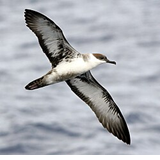
INFO by brainaid.de
GunBoat 90 PARTICULARS
WX Updates:
0430 / 1030 / 1630 / 2230
Ranking:
OCQ3 - OCCH - SYC - MIG
Race starts: Sep 02nd 11:00 Registration Closed
GO TO RACE
SYC Ranking

Series
- SYC ranking
- 2026 TSI
- 2026 TRQ4
- 2026 TRQ3
- 2026 TRQ2
- 2026 TRQ1
- 2026 TRCH
- 2026 TQD
- 2026 SUPerBUDdy
- 2026 SSANZ
- 2026 SPQ4
- 2026 SPQ3
- 2026 SPQ2
- 2026 SPQ1
- 2026 SPCH
- 2026 SHE
- 2026 ROW
- 2026 RNW
- 2026 RNI
- 2026 RMI
- 2026 RED
- 2026 OCQ4
- 2026 OCQ3
- 2026 OCQ2
- 2026 OCQ1
- 2026 OCCH
- 2026 NIA
- 2026 MIG
- 2026 MED
- 2026 LOOR
- 2026 CCZ
- 2026 BOL
- 2026 B2B
- 2025 TS
- 2025 TRQ4
- 2025 TRQ3
- 2025 TRQ2
- 2025 TRQ1
- 2025 TRCH
- 2025 TD
- 2025 SuperSOLer
- 2025 SSANZ
- 2025 SPRCH
- 2025 SPQ4
- 2025 SPQ3
- 2025 SPQ2
- 2025 SPQ1
- 2025 SHE
- 2025 SBB
- 2025 RWW
- 2025 RMI
- 2025 RED
- 2025 OCQ4
- 2025 OCQ3
- 2025 OCQ2
- 2025 OCQ1
- 2025 OCCH
- 2025 NT
- 2025 LOOR
- 2025 DN
- 2025 B2B
- 2025 ARQ4
- 2025 ARQ3
- 2025 ARQ2
- 2025 ARQ1
- 2025 ARCH
- 2025 ABS
- 2024 TS
- 2024 TRQ4
- 2024 TRQ3
- 2024 TRQ2
- 2024 TRQ1
- 2024 TRCH
- 2024 TD
- 2024 SVF
- 2024 SUPerSOLer
- 2024 SSANZ
- 2024 SPRQ4
- 2024 SPRQ3
- 2024 SPRQ2
- 2024 SPRQ1
- 2024 SPRCH
- 2024 SHE
- 2024 RTW
- 2024 RMS
- 2024 OCQ4
- 2024 OCQ3
- 2024 OCQ2
- 2024 OCQ1
- 2024 OCCH
- 2024 LOOR
- 2024 HILAT
- 2024 GWT
- 2024 DN
- 2024 CRW
- 2024 B2B
- 2024 ARQ4
- 2024 ARQ3
- 2024 ARQ2
- 2024 ARQ1
- 2024 ARCH
- 2023 TS
- 2023 TRQ4
- 2023 TRQ3
- 2023 TRQ2
- 2023 TRQ1
- 2023 TRCH
- 2023 TD
- 2023 SVS
- 2023 SUPerSOLer
- 2023 SSANZ
- 2023 SPRQ4
- 2023 SPRQ3
- 2023 SPRQ2
- 2023 SPRQ1
- 2023 SPRCH
- 2023 SHE
- 2023 RTW
- 2023 RNI
- 2023 RMS
- 2023 PIC
- 2023 OCQ4
- 2023 OCQ3
- 2023 OCQ2
- 2023 OCQ1
- 2023 OCCH
- 2023 LOOR
- 2023 DN
- 2023 ARQ4
- 2023 ARQ3
- 2023 ARQ2
- 2023 ARQ1
- 2023 ARCH
- 2022 TRQ4
- 2022 TRQ3
- 2022 TRQ2
- 2022 TRQ1
- 2022 TRCH
- 2022 TD
- 2022 Tall Ships
- 2022 SUPerSOLer
- 2022 SSANZ
- 2022 SSA
- 2022 SPRQ4
- 2022 SPRQ3
- 2022 SPRQ2
- 2022 SPRQ1
- 2022 SPRCH
- 2022 SHE
- 2022 OCQ4
- 2022 OCQ3
- 2022 OCQ2
- 2022 OCQ1
- 2022 OCCH
- 2022 NTR
- 2022 LOOR
- 2022 CTR
- 2022 ARQ4
- 2022 ARQ3
- 2022 ARQ2
- 2022 ARQ1
- 2022 ARCH
- 2021 TRQ4
- 2021 TRQ3
- 2021 TRQ2
- 2021 TRQ1
- 2021 TRCH
- 2021 TD
- 2021 Tall Ships
- 2021 SYCQ4
- 2021 SYCQ3
- 2021 SYCQ2
- 2021 SYCQ1
- 2021 SYCCH
- 2021 SUPerSOLer
- 2021 SSANZ
- 2021 SPRQ4
- 2021 SPRQ3
- 2021 SPRQ2
- 2021 SPRQ1
- 2021 SPRCH
- 2021 Shetland
- 2021 PAC6
- 2021 OCQ4
- 2021 OCQ3
- 2021 OCQ2
- 2021 OCQ1
- 2021 OCCH
- 2021 ESRW
- 2020 TSE
- 2020 TSA
- 2020 TRQ4
- 2020 TRQ4
- 2020 TRQ3
- 2020 TRQ2
- 2020 TRQ1
- 2020 TRCH
- 2020 Tasman Double
- 2020 SYCQ4
- 2020 SYCQ3
- 2020 SYCQ2
- 2020 SYCQ1
- 2020 SYCCH
- 2020 SUPerSOLer
- 2020 SSANZ
- 2020 SRQ4
- 2020 SRQ3
- 2020 SRQ2
- 2020 SRQ1
- 2020 SPRCH
- 2020 Shetland
- 2020 RTW
- 2020 RNI
- 2020 Odyssey
- 2020 OCQ4
- 2020 OCQ3
- 2020 OCQ2
- 2020 OCQ1
- 2020 OCCH
- 2020 A3
- 2019 TRQ4
- 2019 TRQ3
- 2019 TRQ2
- 2019 TRQ1
- 2019 TRCH
- 2019 Tasman Double
- 2019 Tall Ships
- 2019 SYCQ4
- 2019 SYCQ3
- 2019 SYCQ2
- 2019 SYCQ1
- 2019 SYCCH
- 2019 SUPerSOLer
- 2019 SSANZ
- 2019 SRQ4
- 2019 SRQ3
- 2019 SRQ2
- 2019 SRQ1
- 2019 SPRCH
- 2019 Shetland
- 2019 Round New Zealand
- 2019 OCQ4
- 2019 OCQ3
- 2019 OCQ2
- 2019 OCQ1
- 2019 OCCH
- 2018 TRQ4
- 2018 TRQ3
- 2018 TRQ2
- 2018 TRQ1
- 2018 TRCH
- 2018 Tasman Double
- 2018 Tall Ships
- 2018 SUPSOL
- 2018 SSANZ Triple
- 2018 SRQ4
- 2018 SRQ3
- 2018 SRQ2
- 2018 SRQ1
- 2018 SPRCH
- 2018 Shetland
- 2018 Shackleton Challenge
- 2018 OCQ4
- 2018 OCQ3
- 2018 OCQ2
- 2018 OCQ1
- 2018 OCCH
- 2018 40CH
- 2017 TS RDV
- 2017 TRQ4
- 2017 TRQ3
- 2017 TRQ2
- 2017 TRQ1
- 2017 TRCH
- 2017 Tasman Double
- 2017 Tall Ships
- 2017 SWR
- 2017 SUPSOL
- 2017 SSANZ Triple
- 2017 SSANZ RNI
- 2017 SPRR3
- 2017 SPRR2
- 2017 SPRR1
- 2017 SPRCH
- 2017 Red Dot
- 2017 OCQ4
- 2017 OCQ3
- 2017 OCQ2
- 2017 OCQ1
- 2017 OCCH
- 2017 40CQ3&4
- 2017 40CQ1&2
- 2016 TRQ4
- 2016 TRQ3
- 2016 TRQ2
- 2016 TRQ1
- 2016 TRCH
- 2016 Tasman Double
- 2016 Tall Ships
- 2016 SUPSOL
- 2016 SSANZ Triple
- 2016 SRQ4
- 2016 SRQ3
- 2016 SRQ2
- 2016 SRQ1
- 2016 SPRCH
- 2016 RTWR
- 2016 OCQ4
- 2016 OCQ3
- 2016 OCQ2
- 2016 OCQ1
- 2016 OCCH
- 2016 Corporate Open Gold
- 2016 A3
- 2015 TRQ4
- 2015 TRQ3
- 2015 TRQ2
- 2015 TRQ1
- 2015 TRCH
- 2015 Tasman Double
- 2015 Tall Ships
- 2015 SYQ4
- 2015 SYQ3
- 2015 SYQ2
- 2015 SYQ1
- 2015 SYCCH
- 2015 SUPSOL
- 2015 SSANZ Triple
- 2015 SRQ4
- 2015 SRQ3
- 2015 SRQ2
- 2015 SRQ1
- 2015 SPRCH
- 2015 OCQ4
- 2015 OCQ3
- 2015 OCQ2
- 2015 OCQ1
- 2015 OCCH
- 2015 Aegean Rally
- 2014 Timed Races Championship
- 2014 Tasman Double
- 2014 Tall Ships
- 2014 SYC Championship
- 2014 SSANZ Trio
- 2014 SSANZ RNI
- 2014 Sprints Championship
- 2014 Scandinavian Tour
- 2014 Round The World Race
- 2014 Ocean Championship
- 2014-2015 Sailonline World Race
- 2013 Tall Ships
- 2013 SYC Championship
- 2013 SSANZ B&G Simrad
- 2013 Capt Anderson
- 2012 W Australia Regatta
- 2012 Tall Ships
- 2012 SSANZ B&G Simrad
- 2012 RNZ Two Handed
- 2012 Global Challenge
- 2012 Ecker Cup
- 2012 Black Sea
- 2012 A3
- 2011 Vancouver Island
- 2011 Tasman Double
- 2011 SSANZ B&G Simrad
- 2011 SOL Global Challenge
- 2011 SJORA Series
- 2011 Scandinavian Tour
- 2011 Round North Island
- 2011 Asian Sprints
- 2011-2012 SOL World Race
- 2010 Tasman Double
- 2010 Ouzo Rally
- 2010 Iberian Tour
- 2010 Auckland Regional
- 2009 French SOLo
- 2009 Bosphore - Bretagne
- 2008 SYCC
- 2008 -2013 SYC Week Race Championship
- 2008 -2013 SYC Week-End Race Championship
- 2008 -2013 SYC Ocean Race Championship
- 2008-2009 Sailonline Ocean Race
- 2004 LOOR
Mobile Client
SYC members have the benefit of access to our mobile/lightweight web client!